
Editing
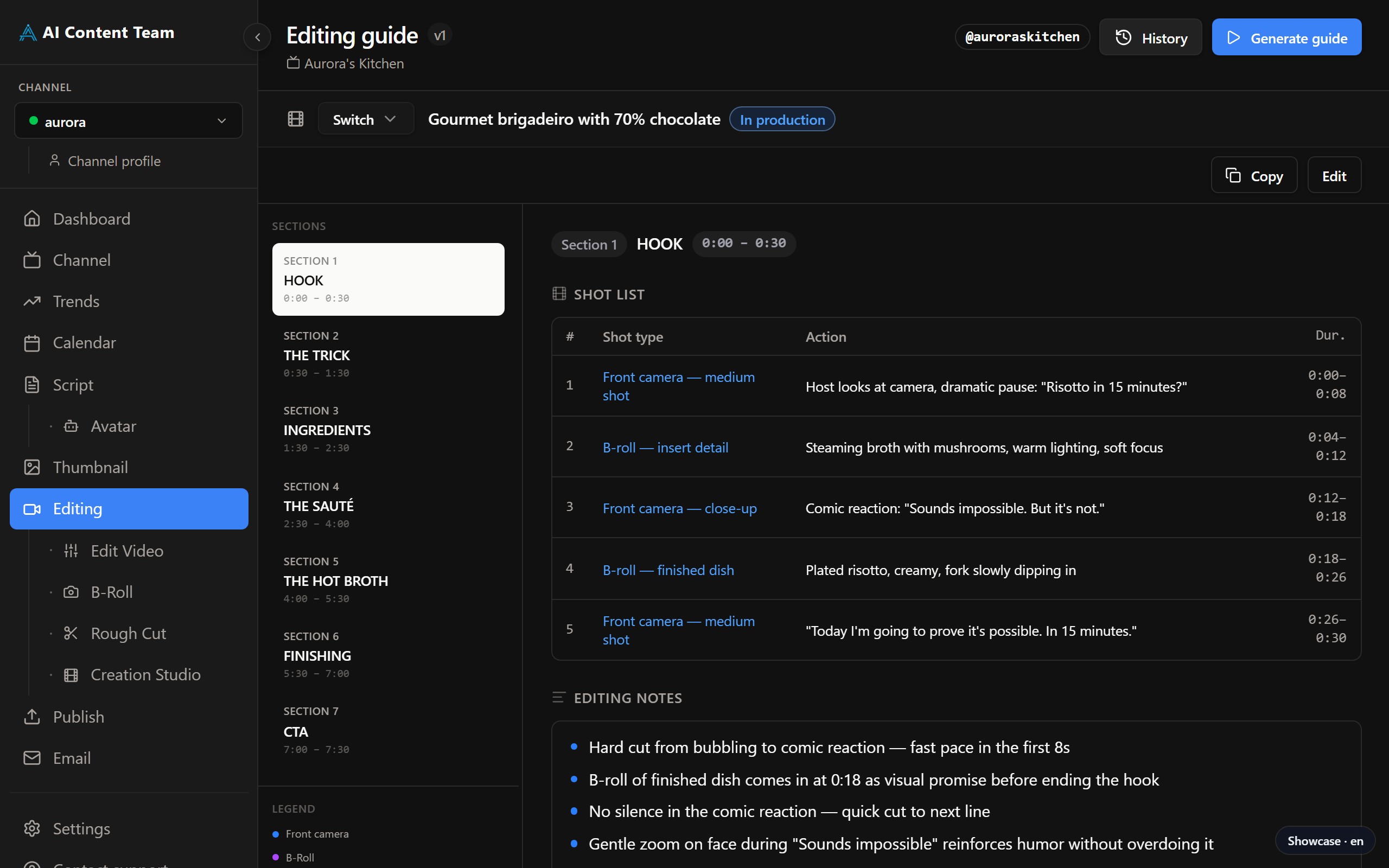
AI-generated editing guide for DaVinci Resolve

Marcelo Franco
Last Update 5 bulan yang lalu
Requirements
Requires ANTHROPIC_API_KEY in Settings.
How It Works
The script is pre-loaded from the Script step. Click Generate Guide to create the editing plan. The guide is organised by script sections (Hook, Context, Development, CTA). Each section contains a Shot List with shot type and suggested action, plus specific Editing Notes. Scroll down to see Captions and On-Screen Text instructions.
Using the Guide
Open DaVinci Resolve alongside the guide. Follow the shot list order, apply the recommended effects, and use the editing notes for timing and pacing. The guide also includes music cue suggestions and on-screen text copy ready to paste into your timeline.